From the booked appointment to the Receita Saúde receipt, with no spreadsheet.
Management system for healthcare professionals, private practices and clinics with self-paying patients. The appointment goes to Google Calendar, the patient confirms on WhatsApp and the medical record sits next to the billing.
Try it for 7 days with your own schedule. No credit card needed.
Works with
- Google Calendar
- Google Meet
- PIX
- Credit card
- Asaas
- Memed
- NFS-e
- ICP-Brasil
- ICD-10 and ICD-11
From the appointment to the closed month
What happens after the patient walks in, shown on the system's own screens.
1. Schedule
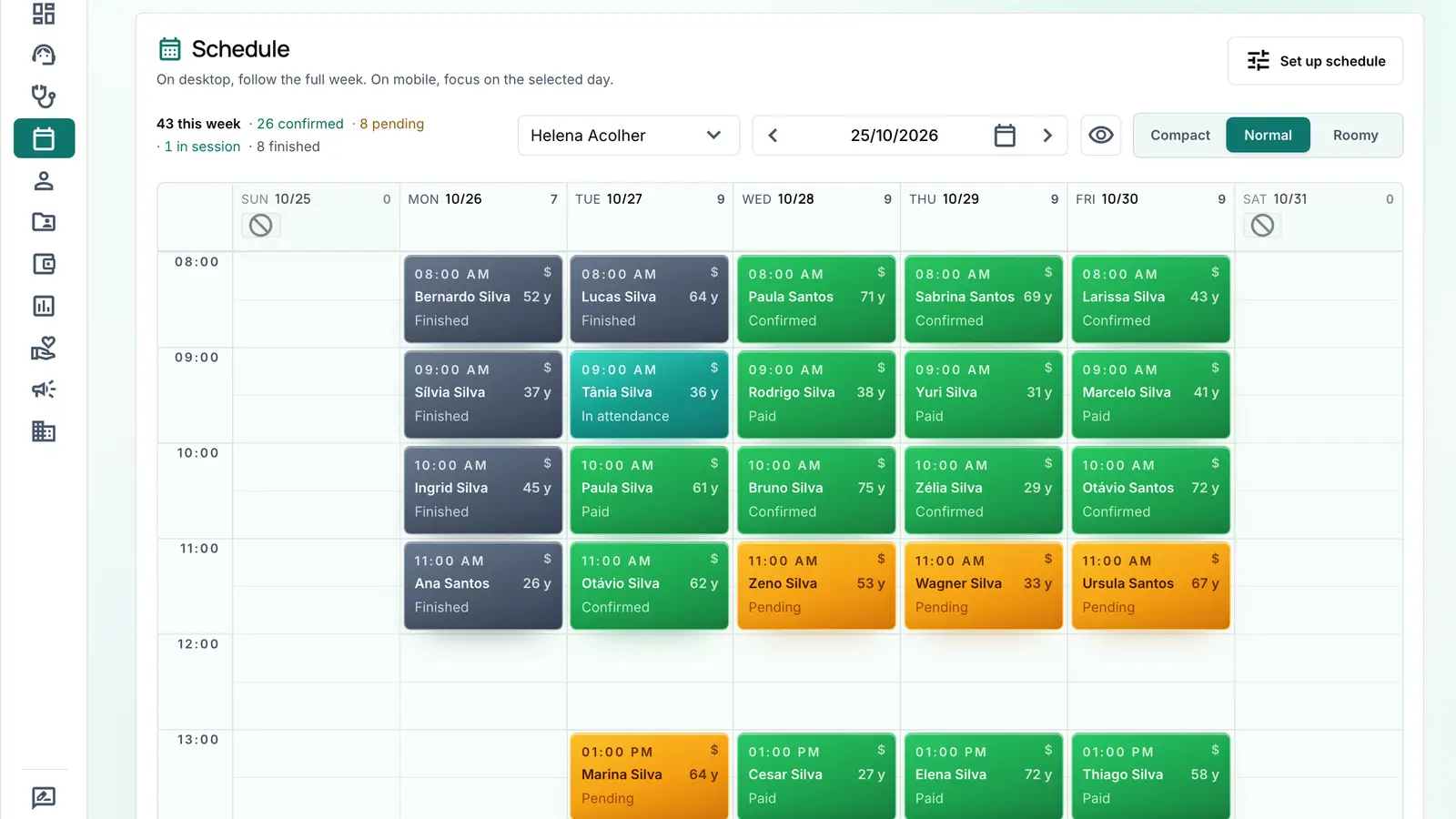
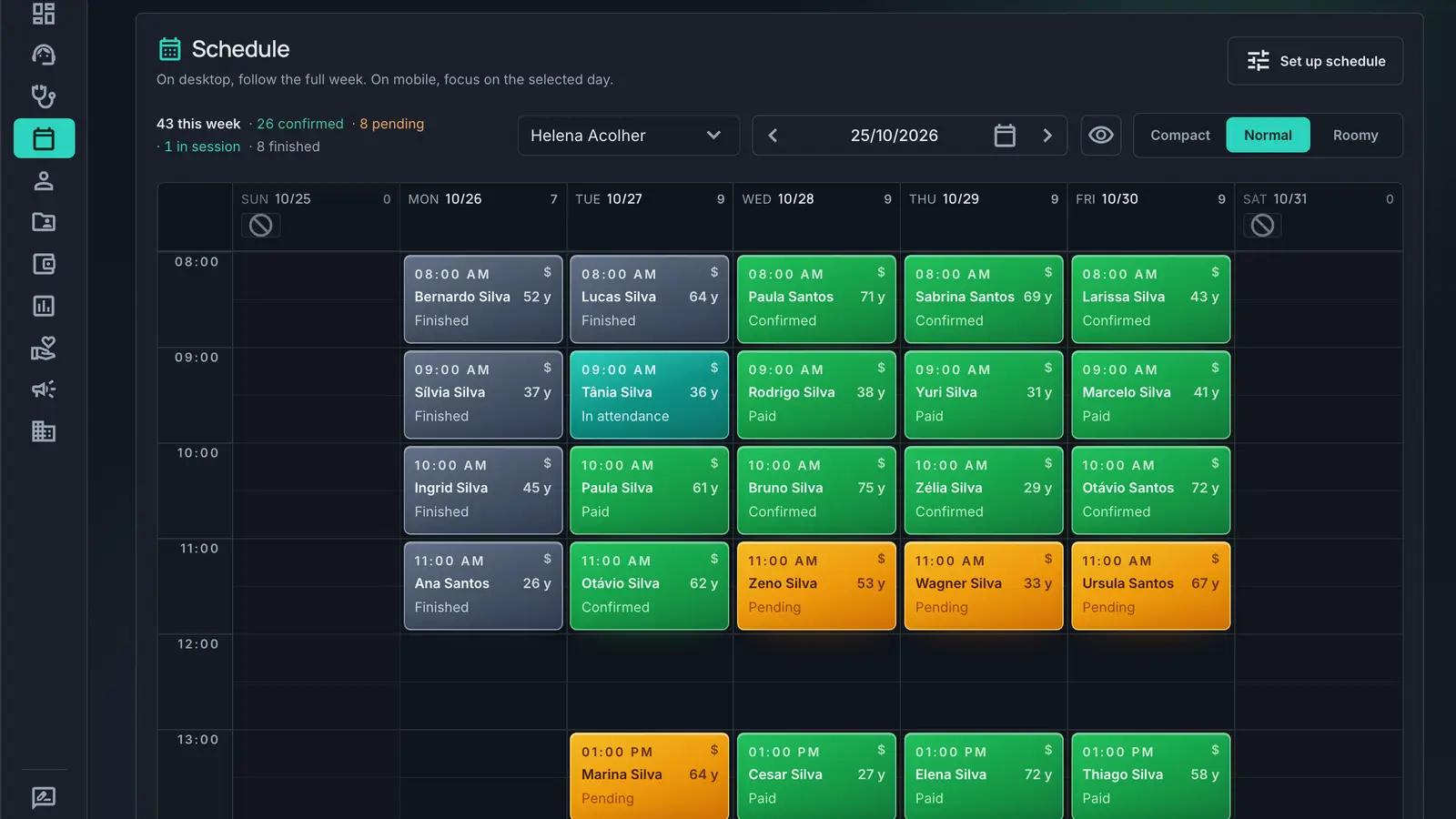
Each professional's week on one screen
In-person and online appointments on the same schedule, with the status of each one. Patients can also book on their own through the online booking link.
- Online appointments go to Google Calendar with the Meet link, on the Essencial and PRO plans
- Each professional with their own working hours
2. Confirmation
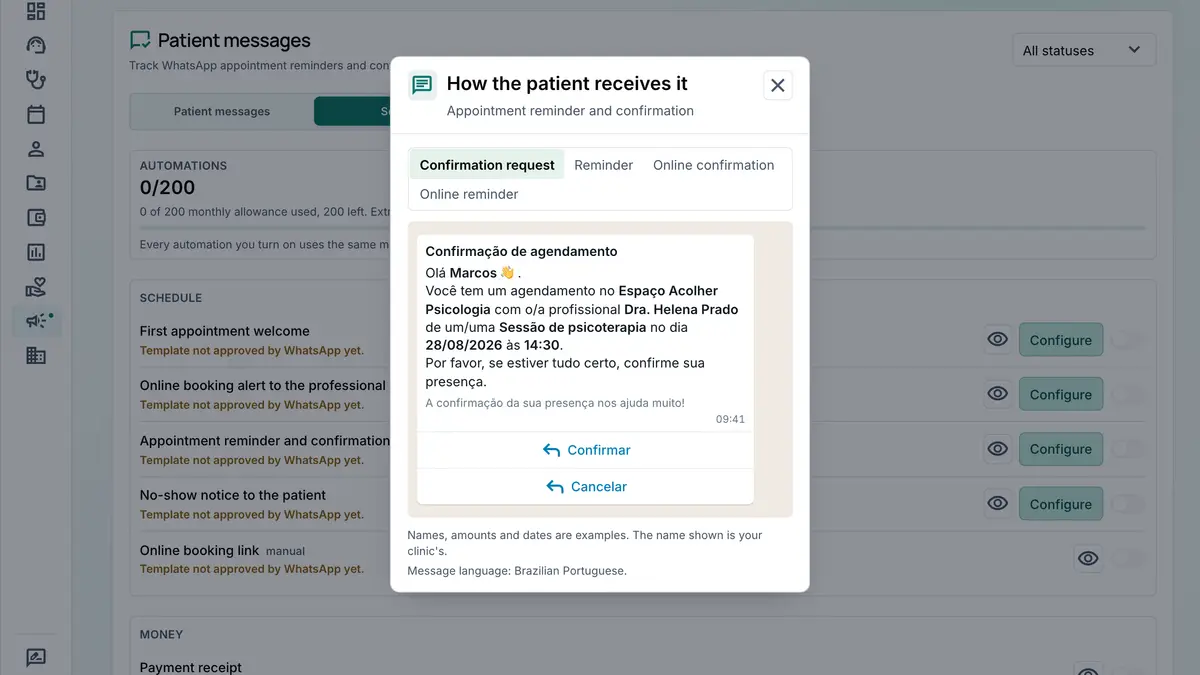
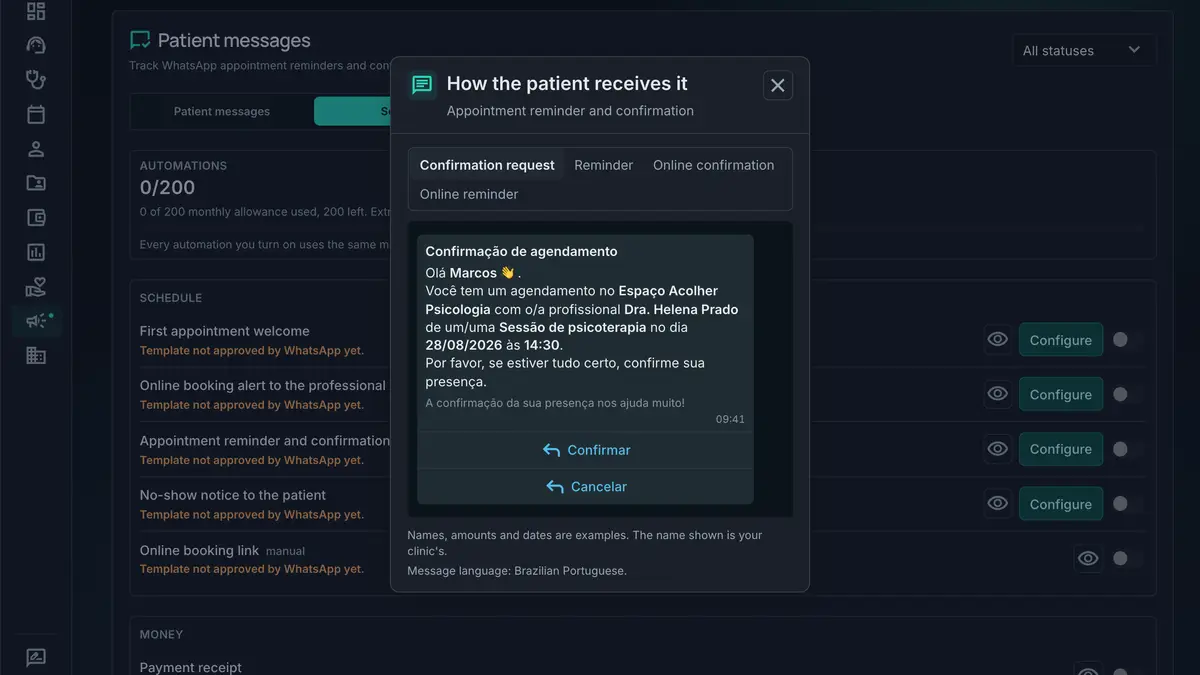
The patient confirms on WhatsApp
In the 24 hours before the appointment, the patient gets the confirmation request with the Confirm and Cancel buttons. Whoever confirms shows up as confirmed on the schedule, with no phone call.
- 50, 100 or 200 messages a month included, depending on the plan
- Delivery, read and failure tracked for each message
3. Appointment
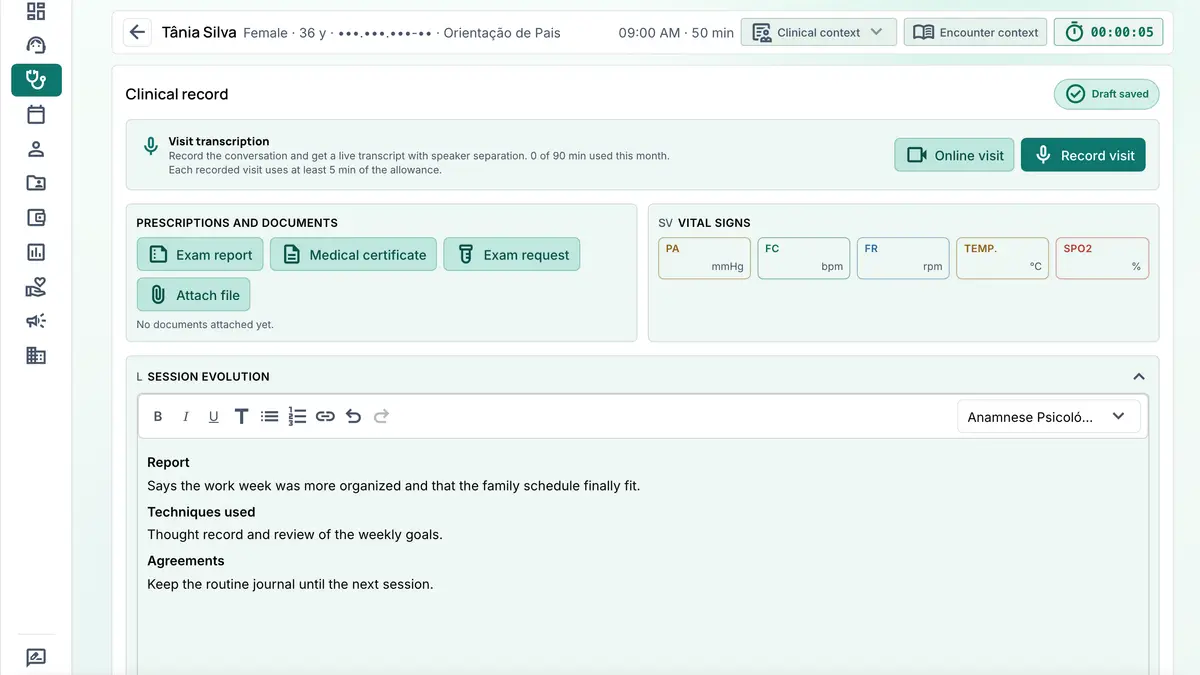
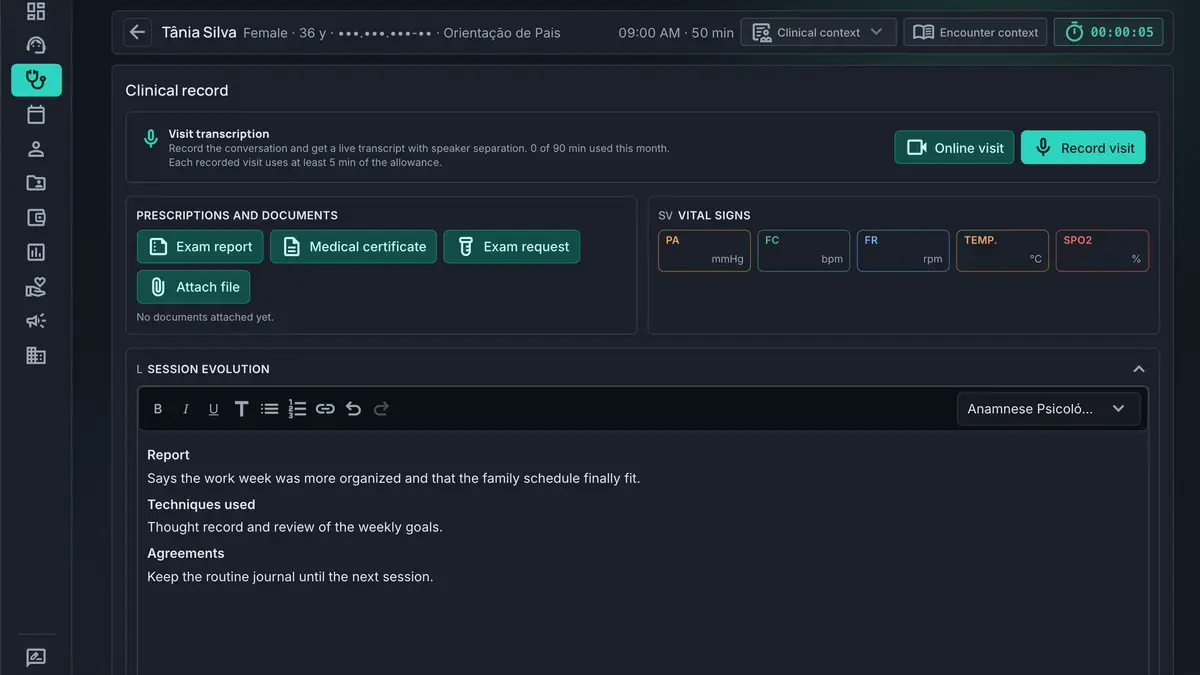
Notes in the model you already use
Psychotherapy, free-form notes, SOAP, DAR, DAPE or BIRP, with the intake form for your specialty. The record is encrypted.
- The agreements from the last session come back in the next one for you to check off
- AI transcription writes the summary in your note model, with 15, 45 or 90 minutes a month depending on the plan
4. Payment
The patient pays and the appointment is settled
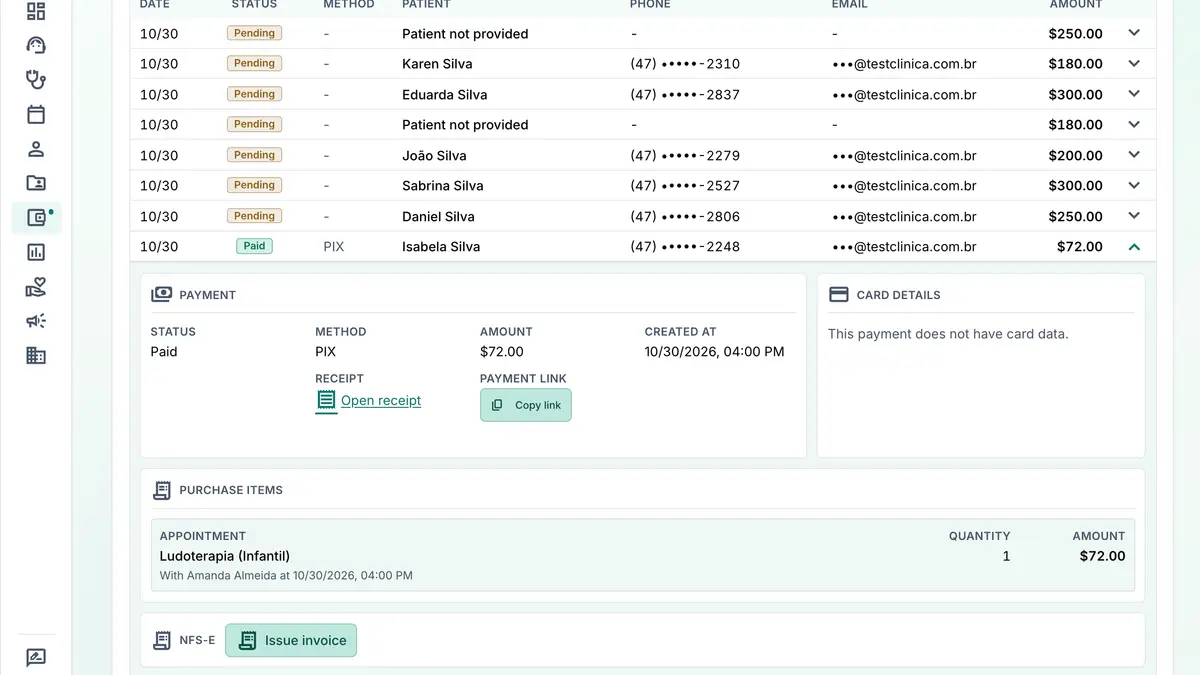
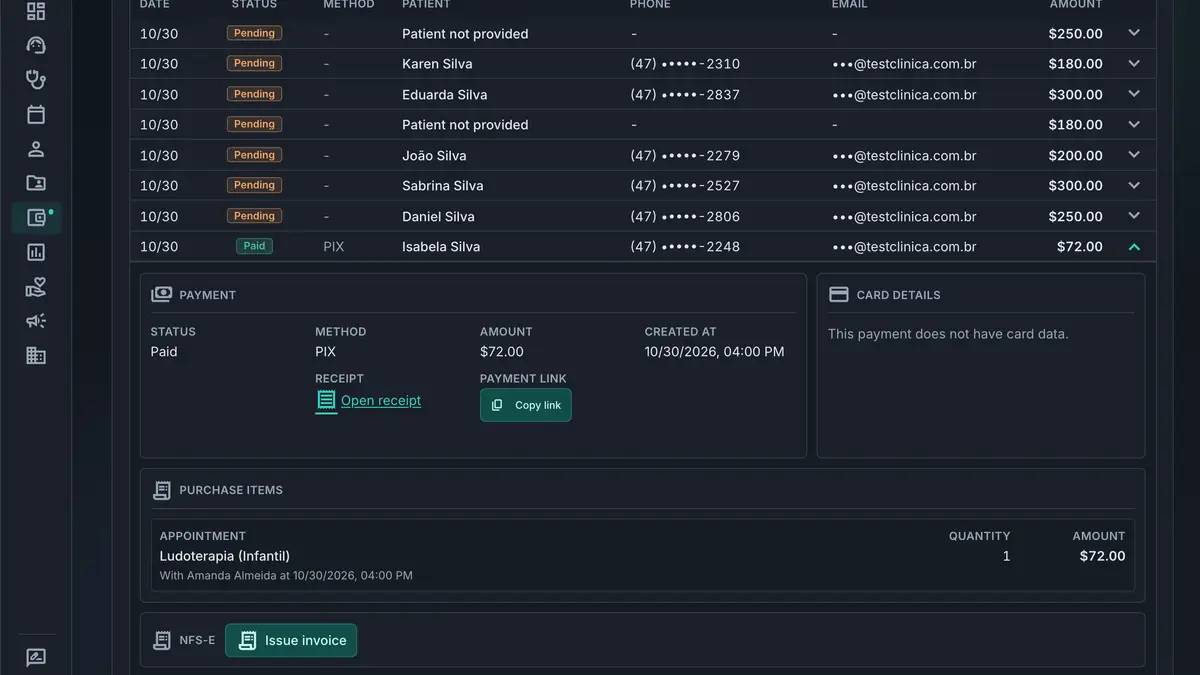
PIX and card through the digital account CliniDeck opens for you, on all three plans. The confirmed payment shows up on the appointment by itself.
- A payment link for the patient to pay from their phone
- A confirmed payment confirms the appointment
5. Receita Saúde
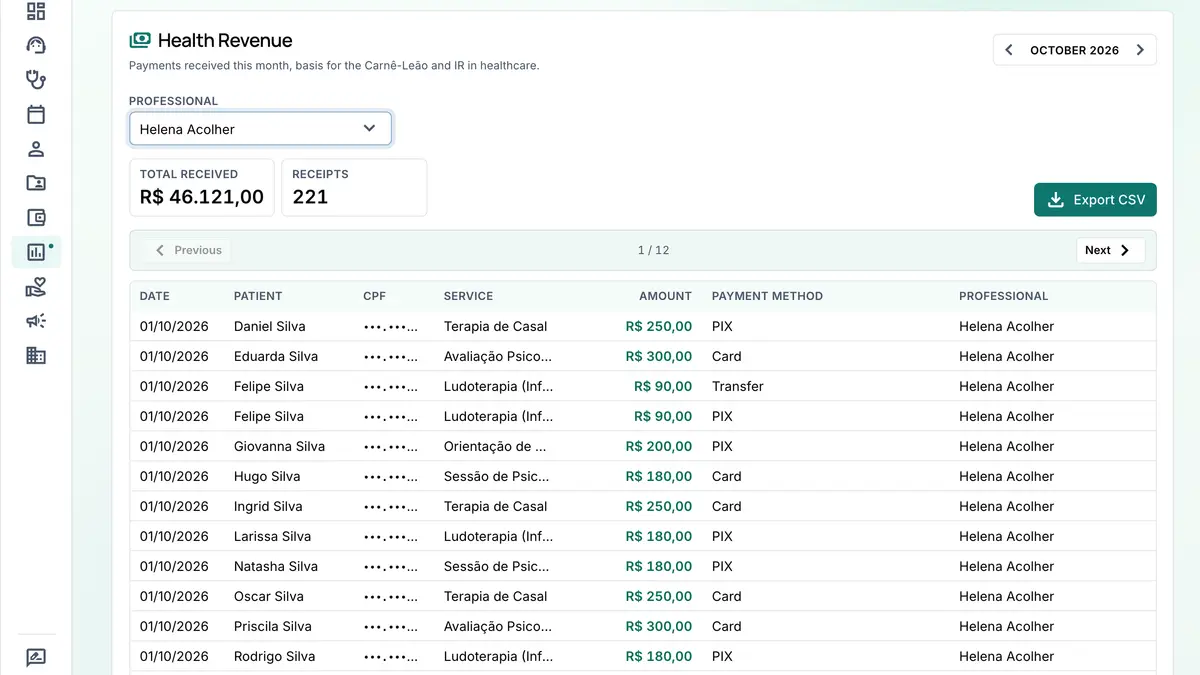
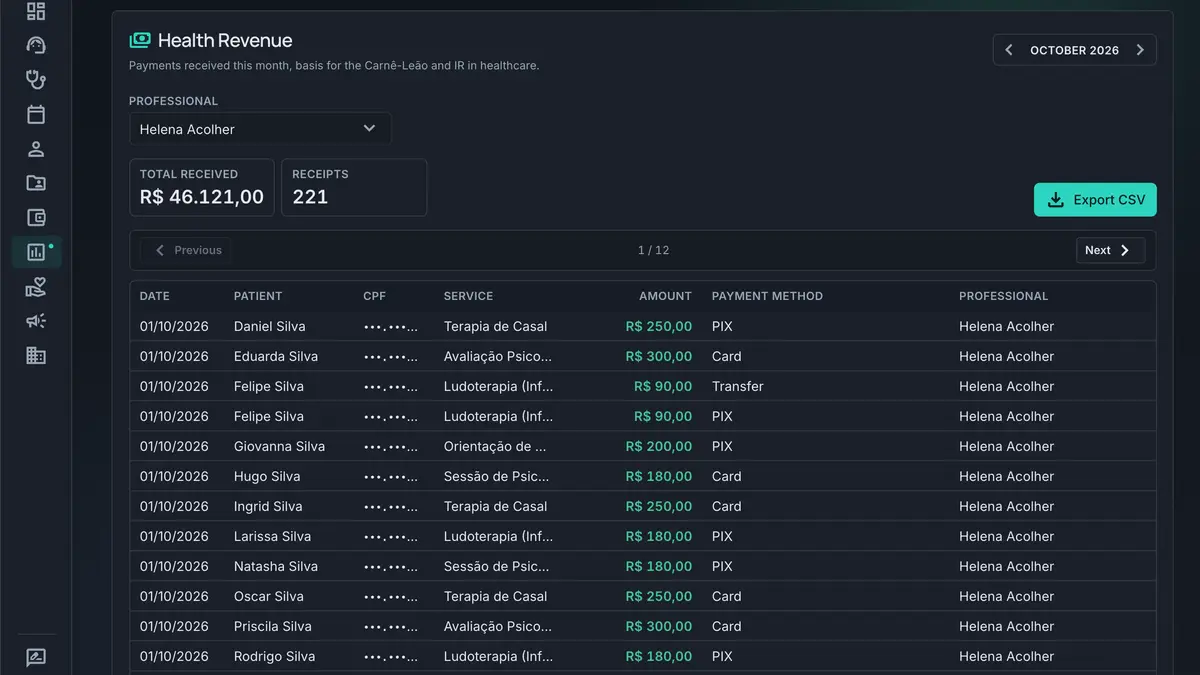
The month's receipts ready to enter
Each payment goes into the Receita Saúde list with CPF, amount and date, ready to enter in the Brazilian tax authority app.
- Date, patient, CPF, service, amount, payment method and professional on each row
- CSV export to support the Carnê-Leão, on the Essencial and PRO plans
6. Month close
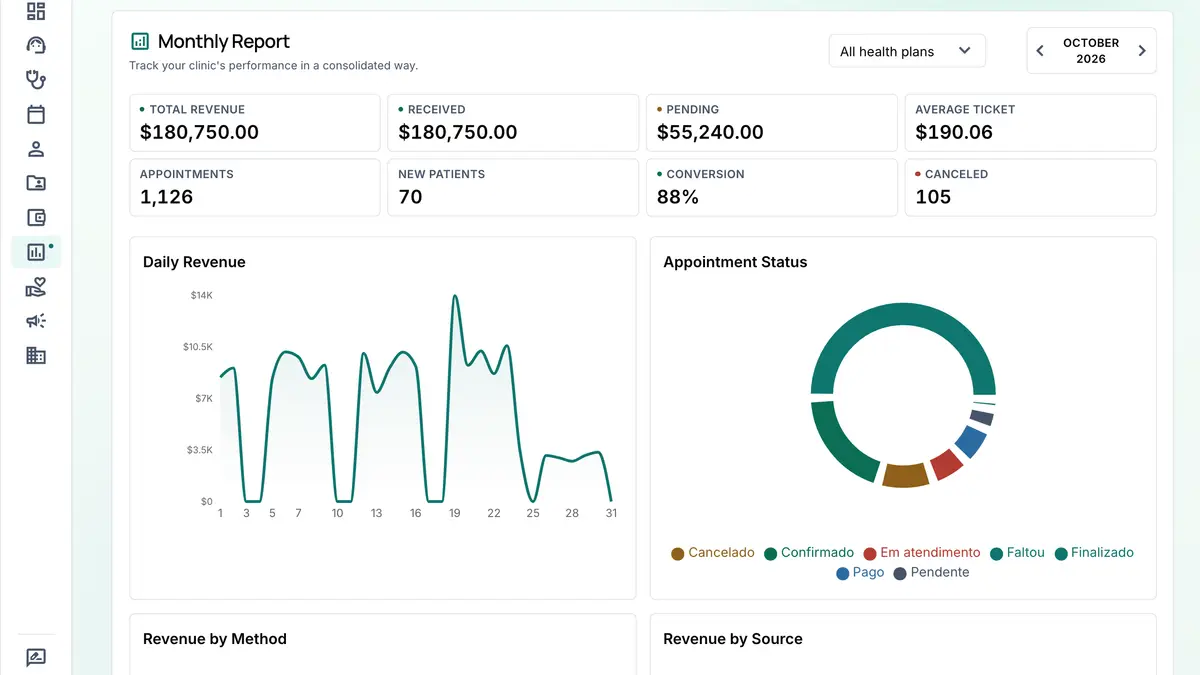
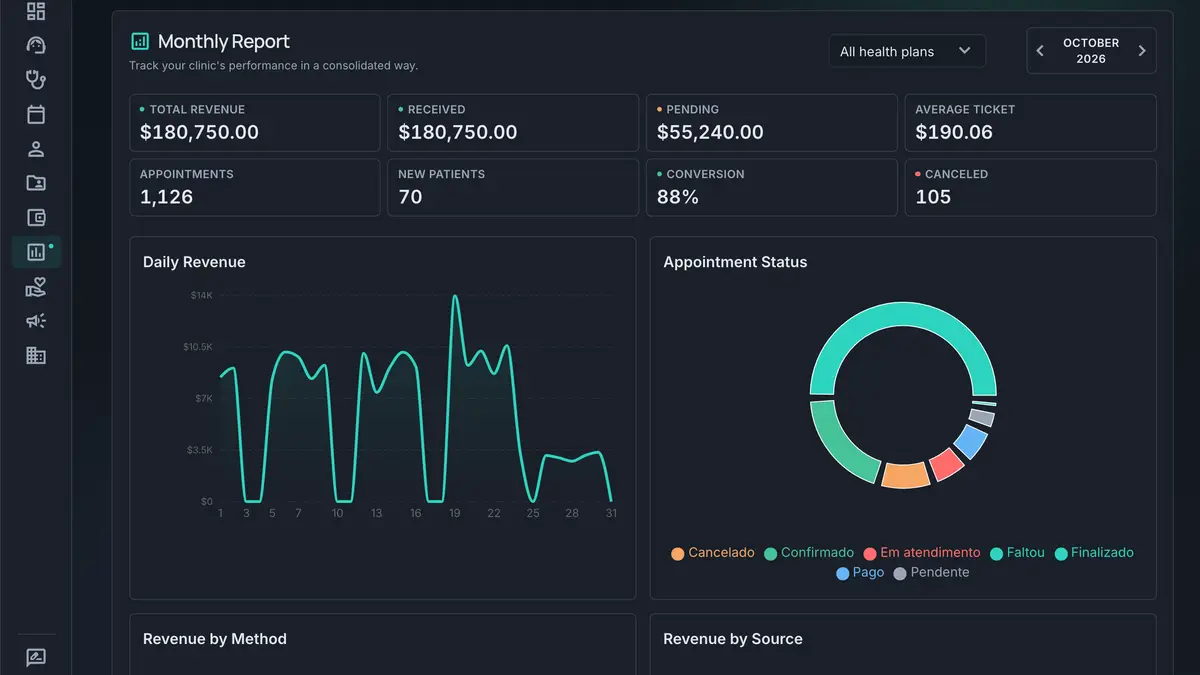
The whole month on one screen
Daily revenue, received and pending, the comparison with the previous month and the status of every appointment, on the Essencial and PRO plans.
- Revenue by procedure, by professional and by payment method
- At the front desk, the daily cash register records cash and the card terminal payment by its NSU


The whole system, by area
Each item opens the page with the details of the feature (in Portuguese).
Built for health data, and connected to what you already use.
Encrypted records, role-based access and integration with the tools already in your routine.
Integrations
- Memed
- Digital prescriptions with Memed inside the appointment, for CRM, CRO and COREN professionals.
- Google Calendar
- Appointments go to a dedicated calendar in your Google account, with the Meet link for online visits. Your other calendars are never read or changed. Essencial and PRO plans.
- Appointment reminders and confirmations with the Confirm and Cancel buttons, with a monthly allowance included in all three plans and delivery, read and failure tracking.
- Asaas
- The digital account that receives the PIX and card payment of each appointment.
- CID-10 and CID-11
- Search of clinical codes and terms inside the appointment.
- ICP-Brasil signature
- Records exported with your cloud certificate, through BRy: Vidaas, BirdID, SafeID or another. The document is verifiable in the official ITI validator.
Security
- AES-256-GCM
- records encryption
- Backup
- several times a day, in Brazil
- Access log
- who opened each record
- 2FA
- two-factor authentication
WhatsApp and AI transcription come with the plan.
What changes from one plan to the next, with each month's allowance. The 7-day trial needs no credit card.
| Per month | Basic PlanR$49.90/moor R$499.00 on the annual plan | Essential PlanR$129.90/moor R$1,299.00 on the annual plan | Pro PlanR$179.90/moor R$1,799.00 on the annual plan |
|---|---|---|---|
| Patients | 10 | No limit | No limit |
| Platform fee per charge | 1% | 0.75% | 0.5% |
| AI appointment transcription | 15 min | 45 min | 90 min |
| WhatsApp messages to patients | 50 | 100 | 200 |
| Emails to patients | 50 | 100 | 200 |
| ICP-Brasil digital signature | 3 credits | 5 credits | 10 credits |
| Google Calendar with Meet | Not included | Included | Included |
| Finance, monthly report and Receita Saúde CSV | Not included | Included | Included |
| Service invoice (NFS-e) | Not included | Included | Included |
| Digital prescription with Memed | Not included | Included | Included |
| Front desk queue and call panel | Not included | Not included | Included |
| Professional payouts | Not included | Not included | Included |
Allowances reset on the 1st of every month. Each plan includes one professional; whoever works alongside you joins as an additional professional.
Start my free trialEverything you need to know
Common questions from independent professionals and clinics choosing a clinical management system.
Is CliniDeck a clinic system with online scheduling and booking?
Yes. CliniDeck is a system for clinics, practices and independent professionals that combines an online schedule and appointment booking, electronic records, billing and finances in one place. It works as a scheduling system for clinics and for therapists, psychologists, physicians, dentists and physiotherapists, for in-person and online care.
Who is CliniDeck for?
For independent healthcare professionals and clinics: psychologists, physicians, dentists, physiotherapists, speech therapists, nutritionists, therapists and multidisciplinary teams. Clinical notes come in psychotherapy, free-form, SOAP, DAR, DAPE and BIRP formats, and you build the intake form for your specialty.
Is there a record designed for psychotherapy?
Yes. Beyond the traditional clinical methods, CliniDeck has its own psychotherapy model with four fields: report, applied techniques, clinical impression and agreements. The case topic list stays saved and comes back every session, with no retyping, and the previous session agreements reappear on their own for you to mark what was done. Techniques come from a catalog, and risk indicators stay visible at the top of the session with date and author.
Are the electronic records secure?
Yes. Clinical data is encrypted with AES-256-GCM, traffic is encrypted, servers are in Brazil with backups several times a day, and access is controlled by role, with a log of who opened each record.
Can I run online appointments with CliniDeck?
Yes. With Google Calendar connected (Essencial and PRO plans), each online appointment goes to your Google calendar with the Google Meet link. If you use another tool, paste the call link into the appointment. You handle in-person and online care in the same system, with the patient record alongside.
How do billing and finances work?
You charge by PIX and card linked to the appointment, track what was received and what is pending and, on the Essencial and PRO plans, get the monthly financial report. A service catalog speeds up every charge.
Do I need to install anything? Does it work on mobile?
No installation. CliniDeck runs straight in the browser on desktop, tablet or phone, always up to date. Your data lives in the cloud, and what the front desk does shows up right away on the professional screen.
How do I get started?
Create your account and use it free for 7 days, no credit card. A guided onboarding checklist walks you through setup, with human support included. When you want to continue, choose a plan.
Schedule, records and billing ready for your next appointment.
Try it for 7 days with your own schedule and patients, no credit card. A checklist guides the first-day setup.
Try it for 7 days with your own schedule. No credit card needed.